Table of Contents
- 1. External Hard Drive Is Not Recognised by Your Computer
- Physical Damage
- File System Corruption
- Bad Sectors
- Accidental Formatting or Deletion
- Stop Using the Drive
- Check Simple Connections
- Do Not Format the Drive
- Avoid Opening the Drive Yourself
- 1. Initial Evaluation
- 2. Drive Diagnosis
- 3. Data Recovery Process
- 4. Secure File Delivery
- Keep Multiple Backups
- Safely Eject Your Drive
- Avoid Physical Damage
- Monitor Drive Health
- Frequently Asked Questions
External hard drives are one of the most convenient ways to store important files. From personal photos and videos to business documents, backups, creative projects, and financial records, many people rely on external storage devices every day.
But what happens when your external hard drive suddenly stops working?
The drive may not appear on your computer, files may become inaccessible, or Windows may show error messages asking you to format the device. In some cases, the drive may make unusual noises or disconnect repeatedly.
When this happens, external hard drive recovery may be possible, but the actions you take immediately can have a major impact on the chances of getting your files back.
This guide explains why external hard drives fail, common warning signs, what you should do before attempting fixes, and when professional recovery support is the safest option.
Why Is My External Hard Drive Not Working?
An external hard drive can stop working for several reasons. Some issues are caused by simple connection problems, while others indicate serious hardware failure.
The most common causes include:
- Faulty USB cables or ports
- File system corruption
- Accidental formatting
- Malware damage
- Power issues
- Bad sectors
- Mechanical failure
- Physical damage
Understanding the cause is important because different problems require different solutions. Trying random fixes without knowing the reason behind the failure can make recovery more difficult.
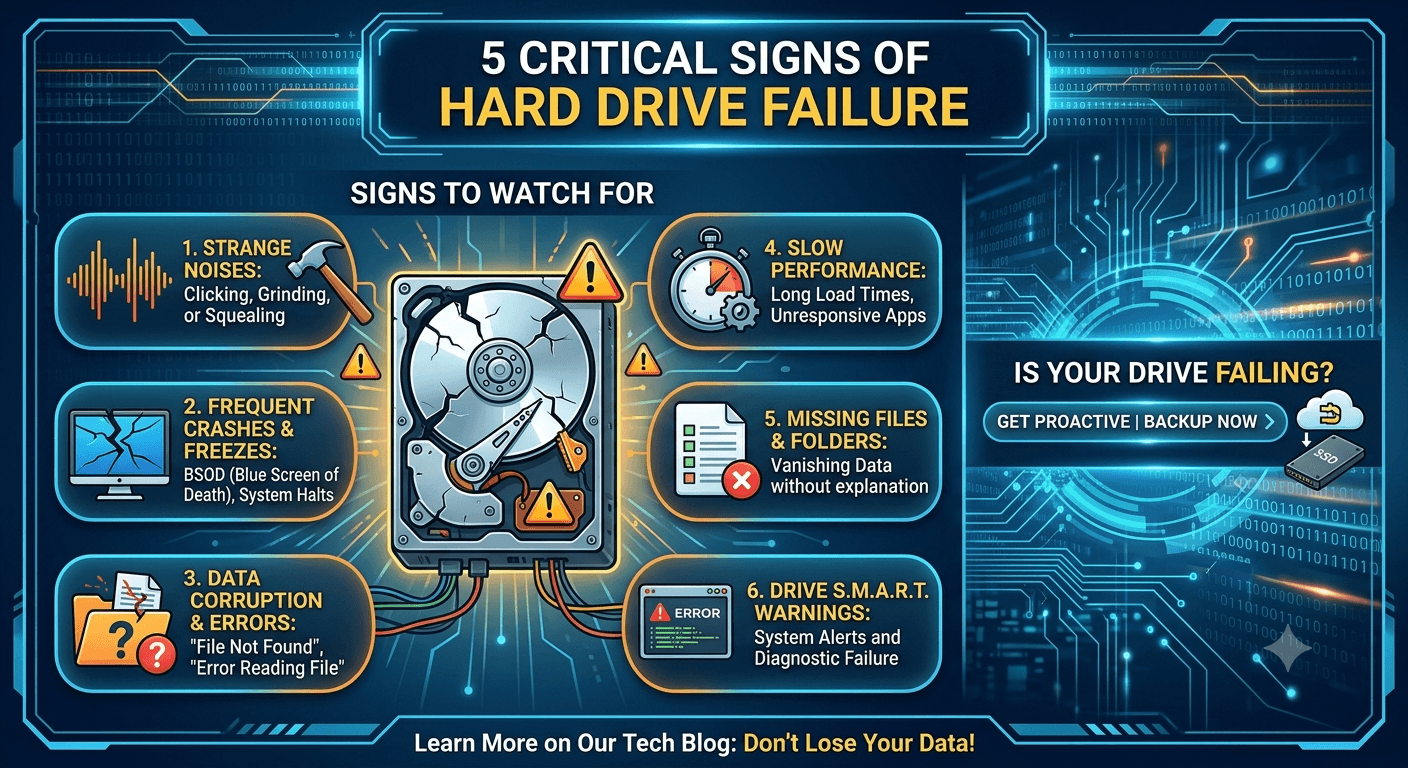
Common Signs Your External Hard Drive Is Failing
Before complete failure occurs, external drives often show warning signs.
Recognising these symptoms early can improve your chances of successful recovery.
1. External Hard Drive Is Not Recognised by Your Computer
One of the most common issues is when the external hard drive does not appear after connecting it.
You may notice:
- The drive does not appear in File Explorer
- Windows does not assign a drive letter
- The device appears and disappears repeatedly
- The computer freezes when accessing the drive
This can happen because of:
- USB connection problems
- Driver issues
- File system corruption
- Hardware failure
Try checking another USB port or computer first. However, if the drive remains undetected, avoid repeatedly reconnecting it because a failing device may deteriorate further.
2. The Drive Makes Clicking, Beeping, or Grinding Sounds
Unusual noises are one of the most serious warning signs.
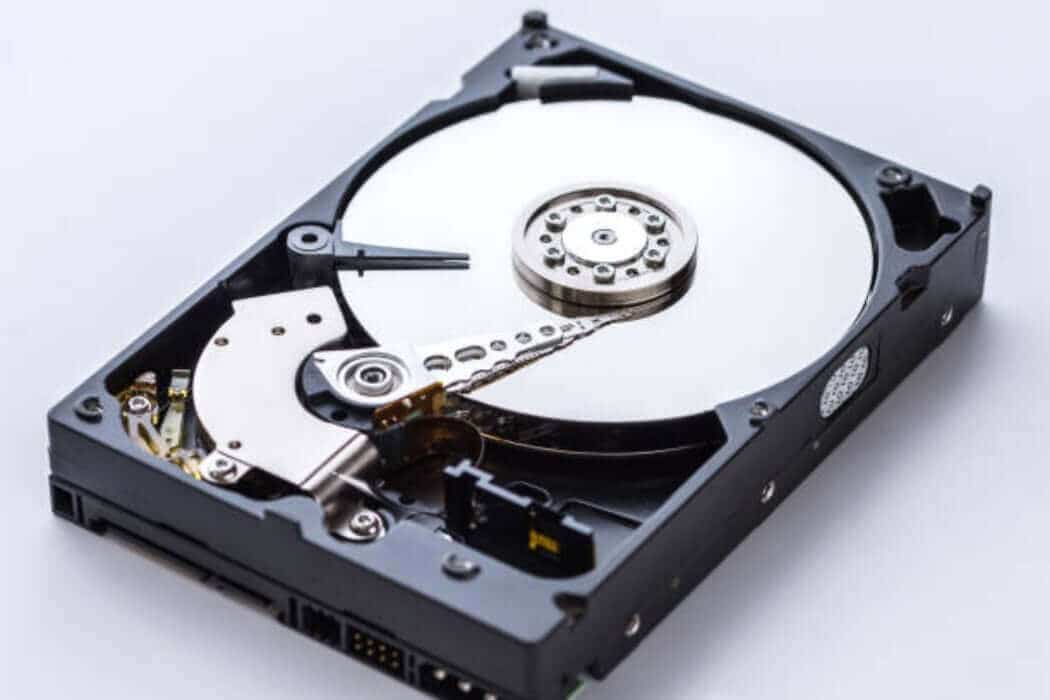
A healthy external hard drive should operate quietly. Clicking, grinding, or repeated spinning sounds can indicate internal mechanical problems.
Possible causes include:
- Damaged read/write heads
- Spindle motor failure
- Internal component damage
If your external hard drive is making these sounds, stop using it immediately.
Continuing to power on a physically damaged drive can increase damage and reduce the possibility of successful Hard Drive Recovery.
3. Files Are Missing or Cannot Be Opened
Sometimes the drive appears normally, but files are missing, corrupted, or inaccessible.
You may experience:
- Empty folders
- Files showing incorrect sizes
- Documents that will not open
- Error messages when accessing data
This can happen because of:
- File system corruption
- Accidental deletion
- Malware
- Bad sectors
In many cases, the files are not immediately erased. However, continuing to use the drive may overwrite recoverable data.
4. Windows Asks You to Format the Drive
A common and stressful message is:
"You need to format the disk before you can use it."
Many users click format because they think the drive is empty or damaged beyond repair.
However, formatting the drive can make recovery more difficult.
This message usually appears when:
- The file system becomes corrupted
- Partition information is damaged
- Windows cannot read the drive structure
If important files are stored on the drive, do not format it before exploring recovery options.
5. External Hard Drive Becomes Extremely Slow
A drive that suddenly becomes slow may indicate developing problems.
Common symptoms include:
- Very slow file transfers
- Long loading times
- Computer freezing during access
- Delayed folder opening
Possible causes include:
- Increasing bad sectors
- Mechanical wear
- Drive health deterioration
Slow performance is often ignored because the drive still works. However, it can be one of the early signs that failure is approaching.
Common Causes of External Hard Drive Failure
Physical Damage
External hard drives are portable, which means they are more exposed to accidental damage.
Common examples include:
- Dropping the drive
- Liquid damage
- Impact during transportation
- Damaged USB connectors
A drive may look fine externally but have serious internal damage.
File System Corruption
The file system controls how your computer stores and accesses files.
Corruption can happen because of:
- Removing the drive without safely ejecting
- Sudden power loss
- System crashes
- Malware infections
When the file system becomes damaged, the drive may appear empty or unreadable.
Bad Sectors
A hard drive stores information in small sections called sectors.
Over time, some sectors can become damaged.
Bad sectors may cause:
- Missing files
- Slow performance
- Read errors
- Complete drive failure
Increasing bad sectors are usually a sign that the drive is becoming unreliable.
Accidental Formatting or Deletion
Human mistakes are another common cause of data loss.
Examples include:
- Formatting the wrong drive
- Deleting important folders
- Creating new partitions
- Resetting storage devices
The important thing is to stop using the drive immediately after accidental data loss.
New data can overwrite old files and reduce recovery chances.
What Should You Do When Your External Hard Drive Stops Working?
The first few actions you take are extremely important.
Stop Using the Drive
Avoid:
- Copying new files
- Installing recovery software on the drive
- Running unnecessary repair tools
Every operation can potentially overwrite recoverable information.
Check Simple Connections
Before assuming the drive has failed, check:
- USB cable condition
- Another USB port
- Another computer
- Power adapter (for powered drives)
Sometimes the problem is only related to accessories.
Do Not Format the Drive
If Windows asks you to format the drive, do not continue if your files are important.
Formatting may remove the existing file structure and make recovery more complicated.
Avoid Opening the Drive Yourself
External hard drives contain sensitive internal components.
Opening the device outside a controlled environment can introduce dust and cause further damage.
Can External Hard Drive Recovery Be Done Yourself?
In some cases, yes.
DIY recovery software may work when:
- Files were accidentally deleted
- The issue is logical corruption
- The drive is physically healthy
However, software recovery is not suitable when:
- The drive is clicking
- The drive is not detected
- The device has physical damage
- The drive keeps disconnecting
Using software on a failing drive can put additional stress on the hardware.
When Should You Use Professional External Hard Drive Recovery?
Professional recovery is recommended when:
- Important business files are involved
- The drive has physical damage
- The computer cannot detect the device
- Recovery software fails
- The drive makes unusual sounds
Specialists use advanced tools and controlled methods to diagnose the issue and recover data safely.
Professional External Drive Recovery focuses on protecting the original device while extracting as much recoverable information as possible.
How Professional External Hard Drive Recovery Works
A professional recovery process usually includes:
1. Initial Evaluation
The drive is examined to determine:
- Type of failure
- Condition of the hardware
- Recovery possibilities
2. Drive Diagnosis
Specialists identify whether the issue is:
- Mechanical
- Logical
- Electrical
- Firmware-related
3. Data Recovery Process
Depending on the condition, recovery may involve:
- Creating a safe clone
- Repairing temporary hardware issues
- Extracting files using specialist tools
4. Secure File Delivery
Recovered files are returned using secure methods to protect customer information.
Why External Hard Drives Need Professional Care
External drives often contain irreplaceable information:
- Family photos
- Business documents
- Customer records
- Creative projects
- Backup files
When these files are important, experimenting with multiple repair methods can reduce recovery chances.
Professional Data Recovery services provide a safer approach when standard troubleshooting does not work.
How to Prevent Future External Hard Drive Failure
While failures cannot always be prevented, these steps reduce risk:
Keep Multiple Backups
An external drive should not be the only copy of important data.
Follow the 3-2-1 backup approach:
- Three copies of your data
- Two different storage types
- One offsite backup
Safely Eject Your Drive
Always eject external drives properly before disconnecting.
This reduces the chance of file system corruption.
Avoid Physical Damage
Keep drives:
- Protected during transport
- Away from liquids
- Stored safely
Monitor Drive Health
Pay attention to:
- Slow performance
- Strange sounds
- Frequent errors
Early action can prevent serious data loss.
Final Thoughts
An external hard drive not working does not always mean your files are permanently lost.
The most important thing is to avoid actions that make recovery harder. Stop using the device, avoid formatting, and do not continue experimenting if important files are involved.
Understanding the causes of failure and acting quickly gives you the best chance of successful external hard drive recovery.
Disk Doctors helps individuals and businesses recover important files from failed storage devices using professional recovery methods designed to protect valuable data.
Frequently Asked Questions
Why is my external hard drive not showing up?
An external hard drive may not appear because of connection problems, driver issues, file system corruption, or hardware failure
Can I recover files from a broken external hard drive?
Yes, recovery may be possible depending on the type and severity of damage.
Should I format an external hard drive that is not working?
No. Formatting can overwrite important information and reduce recovery chances.
How much does external hard drive recovery cost?
The cost depends on the type of failure, damage level, and recovery complexity.
Can a clicking external hard drive be recovered?
Yes, but clicking usually indicates physical damage and should be handled by recovery specialists.