iPod & MP3 Player Data Recovery Services
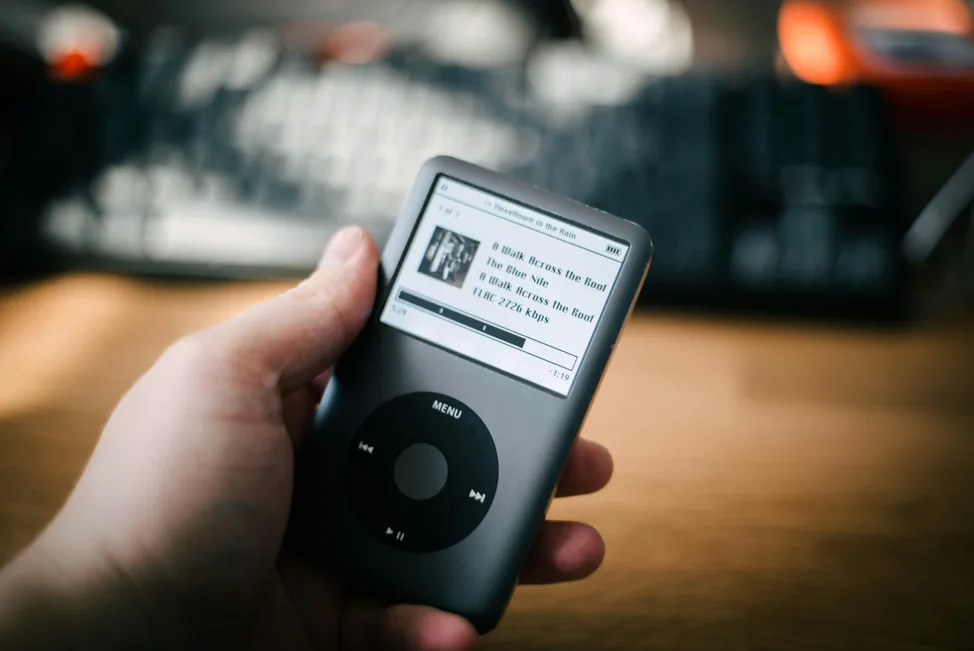
Got a Crashed or Unresponsive iPod? To find out how you can regain your lost music and data same or next day, call now!
iPod is Apple's brand of portable media player, storing music, photos and personal files on either a small hard drive (Classic, Video, Mini) or flash memory (Nano, Shuffle, Touch). Because these devices are so portable and heavily used day to day, they're especially prone to knocks, drops and file system corruption — but that doesn't mean your data is gone.
Start Your Data Recovery Case
How much will data recovery cost?Submit your details to get a free data recovery quote, Free Consultation or Free Shipping Label.
iPod stuck on the Apple logo, showing a sad iPod icon, or not recognised by iTunes/Finder? Stop right there.
Repeatedly restarting, resetting, or running DIY repair software on a failing iPod can overwrite the very data you're trying to save. Power it off now and let our engineers run a free evaluation before you risk anything further.
What Is iPod Data Recovery?
iPod data recovery covers everything from repairing a failed internal hard drive to extracting data from a damaged flash memory chip, or simply rebuilding a corrupted file system that's stopped the device from mounting properly. The right approach depends entirely on which generation of iPod you have and what's actually gone wrong.
We also recover data from other digital music player devices that share similar technology, including USB-flash based players, MP3 players and MP4 players. Music, photos, contacts and notes stored on these devices can usually be recovered, even after a crash, drop, or corruption issue.
Why Choose Professional iPod Data Recovery
The hard drives and flash chips inside an iPod are tiny and tightly integrated into the device, which makes DIY repair or generic recovery software far more likely to cause further damage than to fix anything. Restoring the device through iTunes or Finder before it's been assessed can also permanently overwrite recoverable data.
Our engineers work in a controlled lab environment using tools built specifically for portable media players, so your device is stabilised safely before any recovery attempt begins. Many customers exploring iPod recovery also find our related USB flash drive and memory card recovery services useful, since flash-based iPods share similar underlying technology. You can also read more about our broader data recovery services.
Supported Data Loss Situations
We provide iPod and digital media player data recovery for all major types of data loss, including:
- Virus attacks and malware infections
- Formatted or re-formatted HFS, HFS+ volumes
- Human errors, including accidental deletion of data
- Lost or missing volumes
- Device unable to mount or execute data
- Clicking or grinding sounds from the drive
- Platter contamination and physical damage
- Corrupt or unreadable files
- Natural disasters, including fire and water exposure
Common iPod Failure Types We Recover
Different iPod generations use different storage technology, so recovery is tailored to what's actually inside the device.
Hard-Drive-Based iPods (Classic, Video, Mini)
Older, higher-capacity iPods use small 1.8" or 1" micro hard drives from manufacturers like Toshiba, Hitachi and Seagate. These behave much like any other mechanical drive: they can suffer from head crashes, platter damage, or firmware faults, especially after a drop or impact. A clicking or grinding sound is a strong sign of mechanical failure and means the device should be powered off immediately.
Flash-Based iPods (Nano, Shuffle, Touch)
Newer, smaller iPods store data on NAND flash memory instead of a spinning drive. Failures here are usually related to controller faults, firmware corruption, or physical damage to the circuit board, and often require chip-level extraction techniques similar to those used for USB flash drives and memory cards.
Logical Corruption and Sync Errors
Sometimes the hardware is completely fine but the file system has become corrupted, often after an interrupted sync, a failed software update, or unsafe disconnection. This can show up as a sad iPod icon, a device stuck on the Apple logo, or an iPod that iTunes or Finder no longer recognises properly. In most of these cases, the underlying data is still intact and recoverable.
Supported File Types
We recover a wide range of music and media file formats from iPod and other digital music players, including:
mp3, mp4, wma, asf, wav, ogg, wv, ra, rm, vqf, mid and voc files, alongside photos, contacts, notes and calendar data stored on the device.
Our Data Recovery Process
Our data recovery process is secure, transparent, and designed to minimise downtime. Here's how it works:
Send us your device using the free postage label and our engineers will assess it for free. We'll let you know exactly what's recoverable before you commit.
We create a full, bit-by-bit clone of your storage media to preserve the original. Your data remains untouched while we work on the image copy.
Depending on the fault, we use cleanroom hardware repairs or forensic software tools to extract your data, even from damaged or encrypted media.
You'll receive a file list of everything we can recover. Once approved, we'll return your data on a secure USB drive or via encrypted cloud transfer.
Supported Models & Brands
We recover data from the full range of Apple iPod models, as well as many other digital music and media players:
- iPod Classic & iPod Video
- iPod Nano
- iPod Shuffle
- iPod Mini & iPod Touch
- Samsung Yepp
- Creative Zen
- Microsoft Zune
- SanDisk Sansa
- Dell DJ
- Rio & iRiver
- Archos
- Many other branded and unbranded players
Before You Send It In: Expert Tips
- Do not format the device, even if prompted to
- Do not add, delete, or rewrite any data on it, as this may overwrite what you're trying to recover
- Do not shake or tap the device to try to fix a clicking or grinding sound, as this can cause permanent damage
- Do not attempt to dismantle the device yourself
- Power off the device immediately if you hear unusual sounds or it becomes unresponsive
- Do not keep reconnecting the device to different computers or trying to force a restore
- Always seek professional help — call Disk Doctors on 0800 0436 611
Trusted by Customers Across the UK

FAQs About iPod Data Recovery