Table of Contents
- The Difference Between Data Recovery and Data Backup
- What Is Data Recovery?
- What Is Data Backup?
- Why Data Recovery and Data Backup Are Both Essential
- Common Situations That Require Data Recovery
- Best Practices for Data Backup
- How Disk Doctors Supports You with Both Recovery and Prevention
- Data Recovery FAQs
- Frequently Asked Questions
The Difference Between Data Recovery and Data Backup
Many people use the terms data recovery and data backup as though they mean the same thing, but in reality, they serve very different purposes. At Disk Doctors, we help customers understand this distinction every day because true data protection relies on both prevention and the ability to restore information quickly if something goes wrong.
Backup keeps your information safe before an incident occurs, while recovery brings your lost data back after an unexpected failure. Both form the foundation of a strong, reliable data management strategy that protects everything from personal memories to mission-critical business data, even when deleted files appear to be gone permanently. You can learn more about who we are and the full scope of our services by visiting Disk Doctors, where we outline how our expertise supports customers across a wide range of devices and systems..
Modern digital life relies heavily on stable and secure access to files, applications, server systems, and storage platforms. As storage environments become more complex and risks such as cyberattacks, physical damage, unstable internet connection issues, and system crashes increase, having both data backup and data recovery procedures in place is more important than ever. Our goal is to help customers reduce risk, recover files when necessary, and maintain long-term confidence in their storage solutions. We work hard to ensure every customer feels fully protected throughout the entire process.

What Is Data Recovery?
Data recovery refers to the process of retrieving files that can no longer be accessed through standard methods. When a customer needs to recover data, something has already gone wrong. This may be due to physical drive damage, accidental deletion, corrupted operating systems, electrical failure, or a digital device that suddenly becomes unreadable. As a data recovery company offering professional data recovery services, we support everything from minor logical faults to severe data loss requiring advanced engineering techniques. We also assist with data challenges on mobile phones when files disappear unexpectedly. This is one of the key reasons why you need data backup as part of any long-term protection strategy, ensuring important information remains available even when unexpected failures occur.
We work with a wide range of media and device types, including: SATA and PATA hard drives, SSDs, external HDDs, enterprise storage, USB devices, SD cards, microSD cards, Compact Flash cards, and many other forms of portable storage. We also support RAID and NAS systems, including RAID 0, RAID 1, RAID 5, RAID 6, RAID 10, Synology NAS, QNAP NAS, and similar platforms. Whether customers use Windows computers, macOS devices, Linux servers, UNIX systems, Sun Solaris, BSD, Novell, or legacy DOS, we can help restore their valuable data safely. These different file backup solutions give customers the flexibility to choose a setup that matches their workflow and storage preferences.
DIY attempts often fail because software tools cannot repair hardware faults or reverse corruption caused by multiple times of overwrites or power outages. Many customers panic when deleted files are not found in the recycle bin and assume there is no recovery option available. Others turn to data recovery software hoping for a quick fix, but such tools rarely succeed in cases involving mechanical failure or advanced corruption. Fortunately, our dedicated team uses specialist tools to work with even the most challenging situations.
For customers facing major failures, our data recovery services provide safe and controlled methods for retrieving information without risking further loss.
What Is Data Backup?
Data backup is the proactive process of creating copies of important files and storing them separately from their source. This protective approach ensures you still have access to your information if something unexpected happens, such as accidental deletion, hardware failure, malware attack, or system corruption. Unlike recovery, backup is designed to prevent a data loss scenario before it becomes a problem. Customers who need support after a failure can learn more about our
Data Recovery solutions, where we use a variety of recovery methods across a range of devices.
Different people use different backup methods. Some rely on external hard drive backup, storing new files at regular intervals across multiple devices. Others prefer cloud backup platforms that automatically copy their files whenever an internet connection is available. For businesses with specific requirements or complex systems, hybrid backup models allow data to be synchronised across both local and cloud-based environments.
Backups can be full, incremental, differential, or continuous. Full backups copy everything. Incremental backups copy only what has changed since the last backup. Differential backups copy everything changed since the last full backup. Continuous systems copy changes in real time. Understanding these differences helps determine how quickly files can be restored.
Backup strategies are often evaluated using RTO and RPO. RTO measures how quickly you need to resume operations. RPO measures how much information you can afford to lose. Properly structured backups ensure you are fully protected even outside normal working hours.
Why Data Recovery and Data Backup Are Both Essential
Data backup protects your files before anything goes wrong. Data recovery restores them when something unexpected has already happened. Relying on only one is risky.
Backups may fail silently or become corrupted. Cloud systems can skip folders or fail to upload when the internet connection is unstable. External drives can be overwritten or new files added without verifying that older backups remain intact. It is common for customers to discover issues only after severe data loss occurs, especially when complex systems such as RAID arrays malfunction. Customers experiencing multi-drive issues can learn more about advanced reconstruction on our
RAID Recovery page, which explains how parity errors, controller faults, and degraded drives can be repaired.
Data recovery provides a safety net in these situations. Whether the issue involves hardware failure, physical damage, RAID corruption, or file system collapse, professional intervention ensures that recovering valuable data is still possible. Data recovery is especially important for businesses, where losing business data can cause operational delays, compliance challenges, or financial harm.
Backup prevents loss. Recovery resolves loss. Together, they provide full protection for every digital device and operating environment.
Common Situations That Require Data Recovery
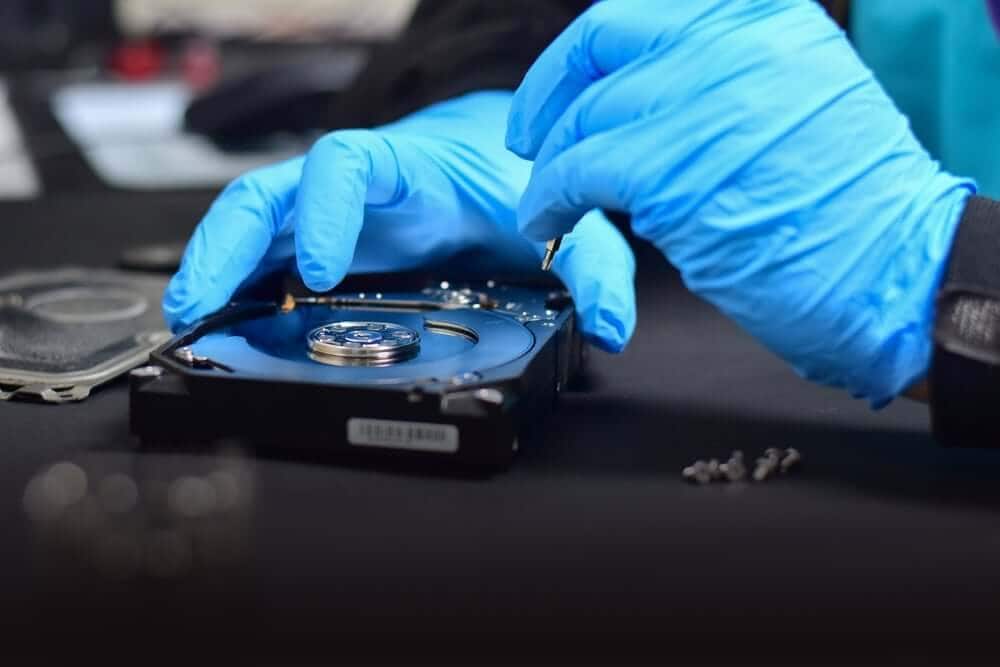
Data recovery becomes essential in scenarios where files disappear, devices fail, or backups are not available. Examples include:
- Accidental deletion when important files are removed
- Failed hard drives due to mechanical or electronic failure
- System crash data recovery when the system cannot start
- Corrupted USB flash drive situations where the device refuses to work
- RAID corruption involving parity errors or incorrect rebuilds
- External hard drives failing to respond or being overwritten by new files
- Cloud sync errors leading to overwritten or missing data
- Unexpected issues caused by malware or faulty updates
For the most urgent situations where downtime must be kept to a minimum, we provide emergency data recovery to restore critical information as quickly as possible. Some customers also experience failures across tape drives, DVR storage, and virtual machine data. In these cases, our external drive recovery service helps determine whether the failure is logical, mechanical, or firmware-related. When facing severe data loss, our data recovery experts step in to recover files as safely and accurately as possible.

Best Practices for Data Backup
Effective backup practices help prevent permanent loss and ensure quick restoration. Following these principles strengthens overall data loss prevention and helps reduce the likelihood of permanent file loss. We encourage customers to use:
- Multiple backups are stored across the cloud and local media
- Automated schedules instead of manual copying
- Encrypted backups to protect sensitive information
- Offline copies to safeguard data from ransomware
- Regular restoration tests to ensure backups work
- Versioning tools to access older copies of files
A layered backup strategy keeps your information fully protected, no matter what type of failure occurs.
How Disk Doctors Supports You with Both Recovery and Prevention
At Disk Doctors, we support customers during failures and help them plan stronger protection for the future. Our services cover SATA and PATA drives, SSDs, RAID arrays, USB devices, SD cards, microSD cards, tape drives, virtual machine data, and more. We work across all major systems, including Windows, macOS, Linux, UNIX, Solaris, BSD, Novell, and legacy DOS.
Many customers first encounter problems due to mechanical or electronic failure. Our hard drive recovery service supports these situations quickly and safely. We also guide customers who require structured computer backup services to help them build dependable protection against future data loss.
As a data recovery company with a dedicated team, we aim to provide exceptional customer service from start to finish. Whether a customer needs urgent restoration or wants to build a stronger long-term backup plan, we guide them through their options and work to meet their specific requirements. We strive to offer the reassurance and confidence customers need during stressful moments.

Data Recovery FAQs
Frequently Asked Questions
What is the main difference between data backup and data recovery?
Data backup focuses on creating file copies before anything goes wrong, ensuring there is always a version stored safely. Data recovery restores access after a device fails or files become unreadable. Backup reduces the chance of data loss, while recovery helps during unexpected problems. Both are essential for protecting important information in every environment.
Do I need data recovery if I already have a cloud backup?
Cloud backup is helpful but not infallible. A poor internet connection, sync issues, or corrupted uploads can lead to missing versions or incomplete backups. If a device fails before new data uploads, you may still lose important information. Data recovery ensures you can retrieve essential files even when backups fall short.
What types of failures require professional recovery instead of software?
Software tools can only handle simple logical errors and cannot repair physically damaged devices. Professional recovery is essential when drives fail mechanically, RAID arrays break down, or firmware becomes corrupted. Attempting DIY recovery multiple times can worsen damage. Using professional support ensures safe handling and the best chance of retrieval.
How often should I back up my data?
Backup frequency depends on how often you modify your data. Daily or weekly backups are ideal for most users, while fast-changing business data may require continuous or hourly backups. Regularly testing backups is crucial because a backup is only useful if it restores correctly. Testing ensures you remain protected even outside regular working hours.
Can encrypted or password-protected devices be recovered?
Yes, encrypted devices can be recovered as long as you have the correct password or key. Encryption does not prevent recovery but requires proper authentication before restored files can be accessed. We follow secure handling practices to keep sensitive data safe throughout the process, ensuring personal and business files always remain confidential.