Table of Contents
Choosing the right RAID configuration is an important decision for anyone managing important data. RAID systems are widely used by businesses, professionals, and advanced users to improve storage performance, reliability, and availability. However, not every RAID level provides the same level of protection. 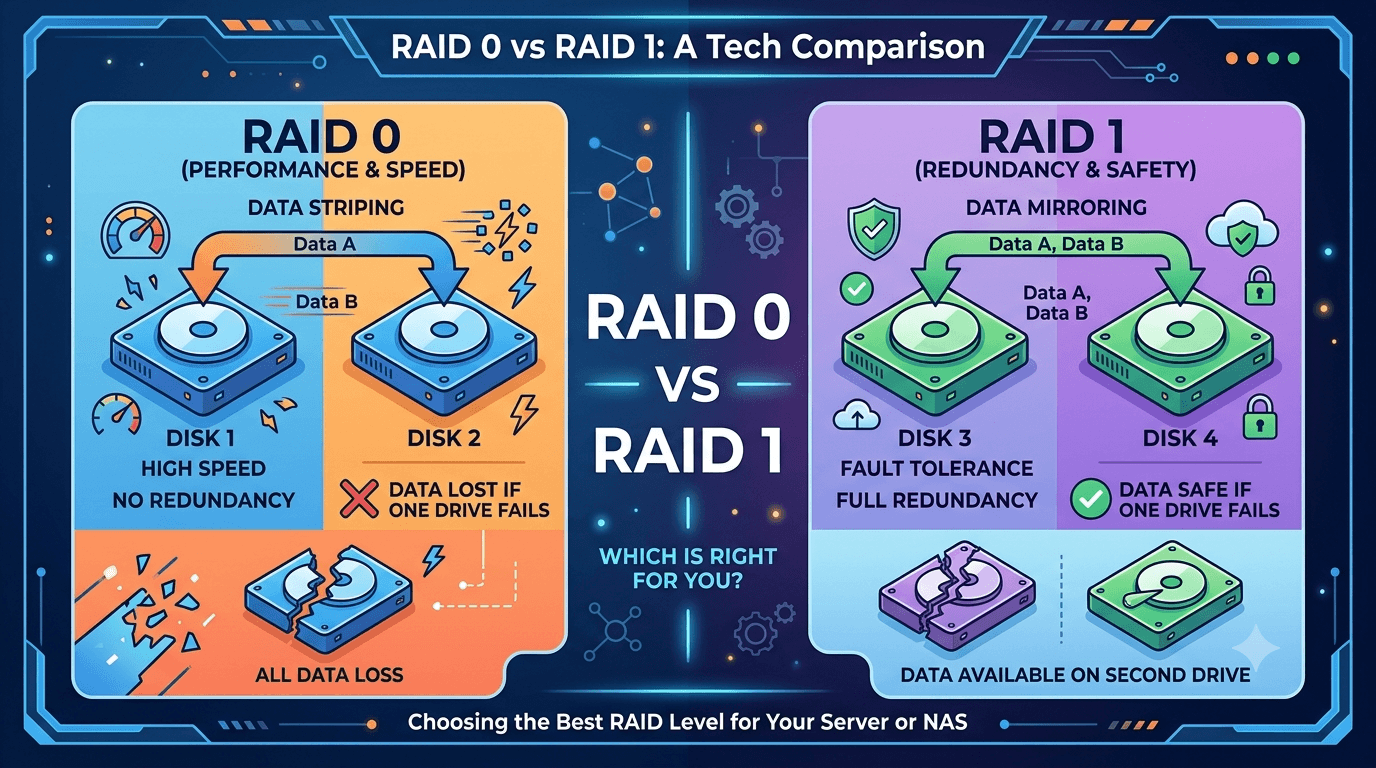
While RAID 0 focuses on maximum speed by spreading data across multiple drives, RAID 1 prioritizes data protection through disk mirroring. Choosing the wrong configuration can lead to unexpected downtime, reduced performance, or even permanent data loss when a drive fails.
In this guide, we’ll explain:
- How RAID 0 and RAID 1 work
- The differences between speed, safety, and storage capacity
- Which RAID level is better for different situations
- What happens when these RAID configurations fail
- How professional recovery can help when critical data becomes inaccessible
What Is RAID and Why Does Choosing the Right Level Matter?
RAID (Redundant Array of Independent Disks) is a storage technology that combines multiple drives into a single logical system.
The purpose of RAID is usually to improve:
- Storage performance
- Data availability
- Fault tolerance
- System reliability
However, RAID does not automatically protect your data from every type of failure.
A RAID system can still be affected by:
- Multiple drive failures
- Accidental deletion
- Malware attacks
- Controller problems
- Power failures
- File system corruption
This is why selecting the right RAID configuration matters.
A setup designed for high performance may not provide enough protection, while a safer setup may sacrifice usable storage space.
RAID 0 vs RAID 1: Understanding the Main Difference
The simplest way to understand RAID 0 vs RAID 1 is:
RAID 0 = Performance focused
RAID 1 = Data protection focused
RAID 0 uses a technique called striping, where data is divided across multiple drives to increase speed.
RAID 1 uses mirroring, where identical copies of data are stored on multiple drives.
The choice depends on whether your priority is speed or protection.
What Is RAID 0? A Complete Guide to Disk Striping
RAID 0 combines two or more drives and distributes data across them.
Instead of writing an entire file to one drive, RAID 0 breaks the file into smaller pieces called blocks and writes them across multiple disks.
This process is called disk striping.
Because multiple drives work together at the same time, RAID 0 can deliver impressive read and write performance.
However, there is one major drawback:
RAID 0 provides zero redundancy.
If one drive fails, the complete RAID array can become inaccessible because parts of every file are spread across all drives.
How RAID 0 Striping Works
In RAID 0:
- Data is divided into blocks
- Blocks are distributed across multiple drives
- Each drive handles part of the workload
For example:
A file stored on a two-drive RAID 0 system may have half the data on Drive A and the other half on Drive B.
This improves speed because both drives process information simultaneously.
However, because there is no duplicate copy, a single failed drive can affect the entire array.
RAID 0 Advantages and Disadvantages
Advantages:
- Excellent read/write performance
- Maximum storage capacity utilization
- Lower cost per usable GB
Disadvantages:
- No fault tolerance
- Higher risk of complete data loss
- Cannot survive a single drive failure
RAID 0 is suitable when performance matters more than protection.
Examples include:
- Video editing scratch disks
- Gaming systems
- Temporary rendering storage
It is not recommended for important business files.
What Is RAID 1? A Complete Guide to Disk Mirroring
RAID 1 works differently.
Instead of spreading data across drives, RAID 1 creates an exact copy of the same data on another drive.
This process is called disk mirroring.
If one drive fails, the second drive still contains the complete copy of your files.
This makes RAID 1 a popular choice for businesses and users who prioritize availability.
How RAID 1 Mirroring Works
In RAID 1:
- Data is written to two or more drives simultaneously
- Each drive contains an identical copy
- A failed drive can be replaced and rebuilt
For example:
If you have two 2TB drives in RAID 1:
Total physical storage:
4TB
Usable storage:
2TB
The remaining space is used for redundancy.
RAID 1 Advantages and Disadvantages
Advantages:
- Protects against a single drive failure
- Simple recovery process
- Better reliability for important data
Disadvantages:
- Uses only 50% of total capacity
- Higher cost per usable storage
- Lower write performance compared to RAID 0
RAID 0 vs RAID 1: Full Comparison
Speed Comparison
When comparing RAID 0 vs RAID 1, speed is where RAID 0 has the advantage.
RAID 0 usually provides:
- Faster sequential reads
- Faster sequential writes
- Better performance for heavy workloads
RAID 1 can improve read performance but does not provide the same write speed benefits.
Data Redundancy and Fault Tolerance
This is the biggest difference.
RAID 0:
- No redundancy
- One drive failure can destroy the entire array
RAID 1:
- Mirrored data
- One drive failure can be survived
For businesses handling critical information, RAID 1 is generally the safer option.
Storage Capacity
RAID 0 uses the full capacity of all drives.
Example:
Two 4TB drives:
RAID 0:
8TB usable storage
RAID 1:
4TB usable storage
The trade-off is simple:
More capacity and speed vs better protection.
RAID 0 vs RAID 1: Which One Is Safer?
When it comes to data safety, RAID 1 is the clear winner.
RAID 1 provides protection because your information exists in multiple locations.
RAID 0 should only be used when:
- Data can easily be replaced
- Backup copies exist elsewhere
- Performance is the main priority
For business documents, customer records, financial files, and important projects, RAID 1 or another redundant RAID configuration is usually a better choice.
RAID Is Not a Backup
One common misunderstanding is believing RAID replaces backups.
It does not.
RAID protects against certain hardware failures, but it does not protect against:
- Accidental deletion
- Ransomware
- Theft
- Fire damage
- Human mistakes
A proper backup strategy should exist alongside RAID.
Many businesses follow the 3-2-1 backup approach:
- 3 copies of data
- 2 different storage types
- 1 copy stored offsite
What Happens When RAID 0 or RAID 1 Fails?
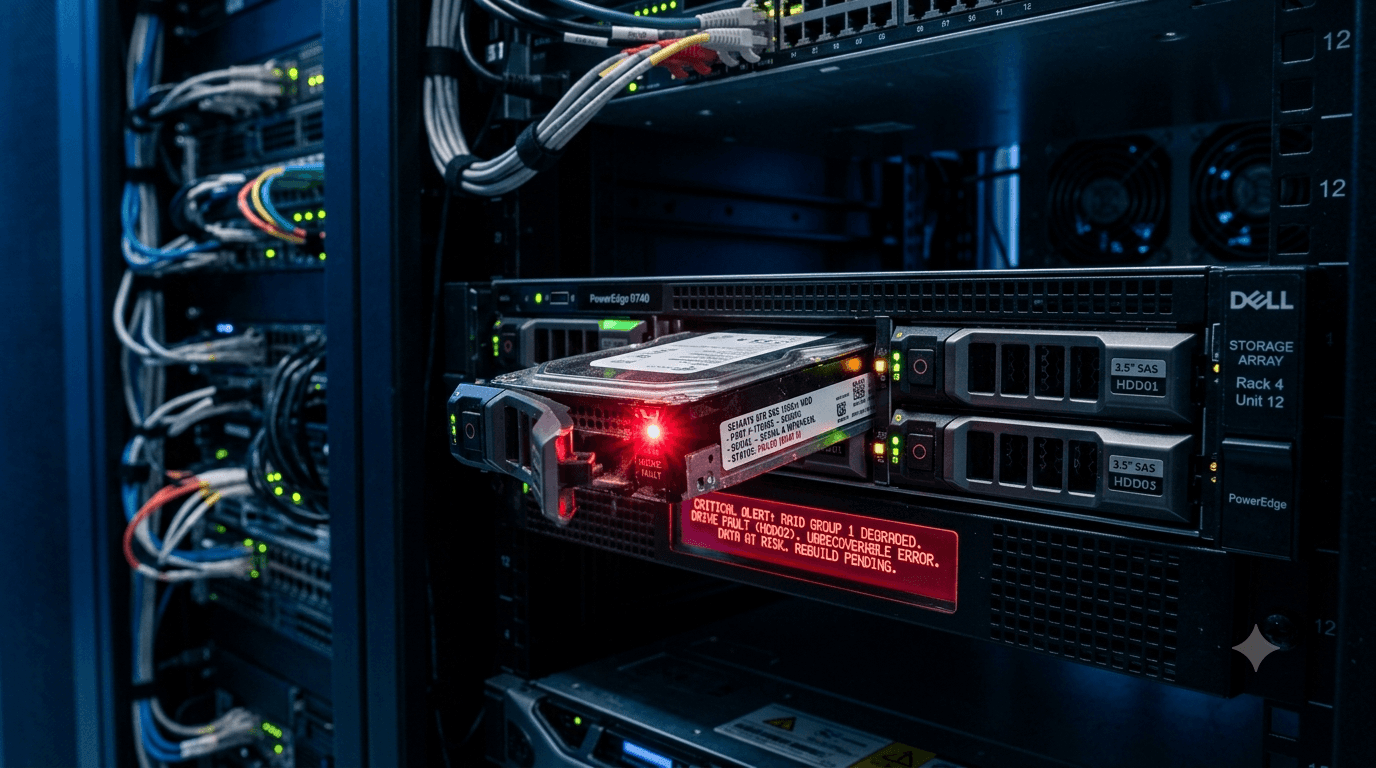
RAID failure can happen even in properly configured systems.
Common causes include:
- Hard drive failure
- Controller problems
- Firmware corruption
- Power issues
- Accidental formatting
- Incorrect rebuild attempts
With RAID 0, recovery can be more complex because data is spread across multiple drives without redundancy.
With RAID 1, recovery may be easier because a mirrored copy may still exist.
However, attempting random repairs or rebuilds can reduce recovery chances.
Professional RAID Recovery After Failure
When a RAID system fails, the safest approach is to avoid making changes to the original drives.
Professional recovery specialists typically:
- Diagnose each drive individually
- Create drive clones
- Analyze RAID configuration
- Reconstruct the array
- Extract recoverable files safely
For businesses where downtime is expensive, professional RAID Recovery and Data Recovery Services for Businesses can provide a safer path than experimenting with repair tools.
If a RAID system contains failed physical drives, Hard Drive Recovery may also be required before the RAID structure can be rebuilt.
Why DIY RAID Recovery Can Make Things Worse
Many users attempt:
- RAID rebuilds
- Formatting
- Drive replacements
- Recovery software
without understanding the underlying structure.
This can:
- Overwrite important data
- Change RAID metadata
- Make reconstruction harder
When the data is valuable, the safest first step is diagnosis.
Final Thoughts
Understanding RAID 0 vs RAID 1 comes down to one important question:
Do you need maximum speed or maximum protection?
RAID 0 delivers excellent performance but carries a higher risk because there is no redundancy.
RAID 1 provides better protection by keeping duplicate copies of your data.
For businesses and users storing important files, the right RAID choice combined with proper backups can prevent major data loss situations.
If your RAID array has already failed, Disk Doctors can help assess the situation and work toward recovering critical files from damaged RAID systems and failed drives.
Frequently Asked Questions
Is RAID 1 safer than RAID 0?
Yes. RAID 1 provides redundancy through disk mirroring, while RAID 0 has no protection against drive failure.
Is RAID 0 faster than RAID 1?
Yes. RAID 0 generally provides better read and write performance because it distributes data across multiple drives.
Can RAID 0 data be recovered after failure?
Yes, RAID 0 recovery may be possible, but success depends on drive condition and whether the original configuration has been preserved.
Does RAID 1 replace backups?
No. RAID 1 protects against some hardware failures but does not protect against accidental deletion, ransomware, or disasters.
Which RAID is better for business use?
For many businesses, RAID 1 or higher RAID levels with redundancy are preferred because they provide better protection for important data.