USB flash drives are convenient storage tools used for everything from work documents and school projects to family photos and essential backups. When they suddenly stop working, the impact can be significant. Our USB flash drive data recovery services provide fast, professional recovery of files from damaged, corrupted, or unreadable USB sticks for customers across the UK. Whether your memory stick has snapped, failed to mount, started showing error messages, or simply refuses to open your files, our team uses advanced tools and proven techniques to restore your data safely.
USB flash drive data recovery combines engineering skill, specialist equipment, and careful diagnostics to extract files that would otherwise be lost. As one of the UK's trusted data recovery experts, we work on everything from accidental deletion to complex chip-level failures, giving you the best possible chance of a successful recovery.
What Is USB Flash Drive Data Recovery?
USB flash drive data recovery involves repairing physical components, correcting logical corruption, or bypassing damaged internal elements so your files can be restored. Unlike normal hard drives, USB devices rely heavily on tiny controllers and translation layers that can fail without warning. A drive may appear completely dead one moment, yet still contain intact data that can be recovered by specialists using the right methods.
In practice, USB flash drive data recovery may involve repairing a broken connector, reconstructing damaged file tables, reversing data corruption caused by unsafe removal, or performing chip-level extraction. Each case requires a different approach depending on the symptoms and the underlying cause of failure.
USB sticks often contain important information such as work files, personal archives, creative projects, and portable backups. Professional USB stick recovery ensures that your data is protected throughout the process, that no unnecessary damage occurs, and that every recoverable file is returned to you in a usable format.
Supported Data Loss Situations
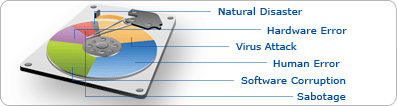
USB-based storage can fail in many ways. We provide USB data recovery for all major types of data loss, including:
- Manufacturing defects that cause the device to stop functioning
- Mishandling due to impact, bending, or dropping
- Virus attacks and malware infections
- Human errors, including accidental deletion of files
- Drives that refuse to mount or cannot execute stored data
- Corrupt data caused by sudden removal or file system errors
- Natural disasters, including fire, water exposure, or environmental damage
Many failures appear catastrophic to the user, but your data may still be intact. Our engineers investigate the precise cause of the failure and use the safest method to restore your files while protecting the underlying memory.
Why Professional USB Stick Recovery Makes a Difference
Trying to fix a USB thumb drive at home often leads to further data loss. Free software tools typically assume the drive is functioning properly, but most problems with USB sticks originate from controller faults, internal damage, or translation layer corruption. These issues can worsen when the device is repeatedly plugged in or forced to mount.
Professional memory stick recovery is performed in controlled environments using tools designed specifically for flash memory. Our engineers can stabilise failing devices, rebuild damaged components, and extract data without risking the permanent overwriting or destruction of the underlying files. Many customers first find us while exploring our broader data recovery services, particularly when dealing with unexpected USB failures or lost work files.
By choosing an expert, you preserve the highest chance of a successful recovery, avoid escalating the damage, and ensure that your data is handled securely throughout the process.
Common USB Flash Drive Failure Types We Recover
Different USB faults require different recovery techniques. Below are the most frequent scenarios we encounter and how each one is addressed:
Physical Damage and USB Memory Stick Repair
Physical damage is one of the most common reasons flash drives stop working. Many USB sticks break when they are bumped while plugged into a laptop or computer. Common issues include snapped connectors, cracked housings, loose solder joints on the circuit board, and internal fractures. In some cases, manufacturing defects cause early failure, even with gentle use.
Repairing USB memory stick devices requires precision equipment. Our engineers rebuild damaged ports, stabilise the PCB, and re-establish connections to the memory chip long enough to extract the stored data. Attempting to repair these devices at home using glue, pliers, or improvised tools can cause permanent damage. Professional repair ensures the integrity of the memory chip while making recovery possible.
Logical Corruption and Data Errors
USB drives also experience logical issues where the hardware appears intact, but the file system is damaged. Signs include messages asking to format the drive, folders appearing empty, files refusing to open, or the drive mounting as unreadable. These issues may result from sudden disconnection, power loss during writing, viruses, or general wear in the memory cells.
In these cases, recovery involves rebuilding damaged file system structures, restoring directories, and extracting accessible data. Even when files appear deleted or missing, the underlying data often remains. Logical faults are especially common for USB sticks used between multiple devices with different operating systems.
Severe Damage and Complex Data Loss
Some USB sticks suffer from far more serious forms of damage, such as fire exposure, water damage, chemical corrosion, or complete controller failure. A drive may show no lights, make no connection sound, or appear entirely dead. Even so, the data stored inside the memory chip may still be retrievable.
Chip off recovery is often used for these complex cases. Engineers remove the memory chip from the USB stick and read it using advanced equipment. The raw binary data is then reconstructed into usable files. This process requires specialist skill and is one of the most advanced forms of USB flash drive data recovery. For customers who store photos or camera backups on USB drives, our photo data recovery service is also available for dedicated restoration of images and media files.
What USB Brands Can We Provide Data Recovery For?
We provide USB memory stick data recovery for a wide range of manufacturers, including:
- Kingston
- Maxtor
- iOmega
- LG
- Seagate
- SanDisk
- Memorex
- Many more branded and unbranded devices
Most USB sticks share similar controller designs and NAND memory layouts, which makes recovery possible even for older or generic devices. Customers looking to understand more about our full service offerings often start at our data recovery experts page, where they can learn more about our technology and expertise.
What Types of Data Can Be Recovered
USB flash drives are used for an extremely wide range of purposes, meaning many different types of data may need recovery. We regularly retrieve:
- Personal photos, family videos, and media files
- Work documents such as Word, PowerPoint, and Excel files
- Client files and business project folders
- Portable application data and configuration files
- Software installers and encrypted data
- Project backups, archives, and zipped folders
Even when files appear corrupted or inaccessible, they may still exist in recoverable fragments. In situations where the USB stick was being used alongside removable drives or cameras, our external drive recovery service may be helpful for devices that also need support.
How Our USB Flash Drive Recovery Process Works
Our recovery process is designed to be clear, structured, and secure. Each step ensures your data is treated safely and your device is handled properly.
Step 1: Assessment and Diagnosis
Once we receive your USB device, we perform a detailed inspection using diagnostic tools. This helps us determine whether the fault is physical, logical, or electronic. You receive a clear explanation of the issue, along with a fixed quote for the recovery. No work begins until you approve the service.
Step 2: Recovery and Extraction
Depending on the type of failure, we may repair damaged connectors, correct logical corruption, bypass a failed controller, or perform chip-level extraction. Recovery is carried out using non-destructive methods wherever possible. Our goal is to extract the highest amount of accessible data while safeguarding the memory chip and its contents.
Step 3 Verification and Return
Once the data is recovered, we verify the files, organise them into accessible folders, and prepare them for delivery. You may choose to receive your data via secure download, on a new USB drive, or on an external hard drive. The original damaged device can be securely destroyed or returned to you based on your preference.
Specialist Techniques Used in USB Memory Stick Data Recovery
USB flash memory is fundamentally different from traditional storage, and recovering it requires specialised knowledge. Three main techniques are commonly used.
Controller Repair and Access Restoration
The controller chip in a USB device handles communication between the memory and the computer. If it fails, the device may not mount at all. By repairing or bypassing the controller, engineers can regain access to the raw memory and begin recovery.
Chip Off Recovery for Extreme Damage
Chip off recovery is used when the USB stick is too damaged to be repaired physically. Engineers remove the NAND memory chip using controlled methods and read it using specialist equipment. They then reconstruct the stored data from binary patterns, allowing recovery even when the device is dead.
Firmware and Translation Layer Repair
Flash memory relies on firmware and translation tables to map data correctly. When these become corrupted, the drive may behave unpredictably or appear empty. Repairing or rewriting the firmware can restore access and allow recovery of previously inaccessible files.
When You Should Avoid DIY Recovery
DIY recovery attempts, especially physical ones, often do more harm than good. Free software tools may write to the drive and overwrite data you want to recover. Using glue, pressure, or makeshift tools to fix bent connectors can damage the memory chip. Repeatedly plugging in a failing USB stick can also cause further corruption.
USB devices are sensitive and require controlled handling. Professional recovery prevents additional risk and provides the highest chance of restoring your lost files.
USB Flash Drive Data Recovery FAQs
Can you recover deleted files from a USB stick?
Yes, deleted files can often be recovered as long as they have not been overwritten by new data. When a file is deleted, the information usually remains on the memory chip until the space is reused, which means recovery is still possible. It is important to stop using the USB stick immediately to avoid any new data writes that may eliminate recovery opportunities. Our tools can rebuild the file structure and retrieve accessible deleted items safely, especially where data recovery software or Windows file recovery tools may be unable to recover data effectively.
What should I do if my USB drive is not recognised?
If your computer no longer recognises the USB stick, it may indicate a controller failure or an electrical issue within the device. Continuing to plug and unplug the USB stick can worsen the damage, so it is best to stop using it immediately. In most cases, engineers can bypass or repair the controller to access the memory directly, even when the device appears dead. A professional assessment is the safest way to understand the failure and proceed toward recovery, particularly if the issue resembles a corrupted USB flash drive that cannot be accessed through disk management.
Can data be recovered from a broken USB connector?
Yes, data can often be recovered from USB sticks with broken or bent connectors. The connector can sometimes be reconstructed, or engineers may bypass it entirely to access the memory chip directly. Attempting to repair a connector at home can cause further damage to the circuit board, reducing recovery chances. With the correct equipment and experience, specialists can safely stabilise the device and extract the stored data effectively, ensuring a much better outcome than generic data recovery software, which cannot address hardware faults.
Can you recover water-damaged USB sticks?
In many cases, recovery from water-damaged USB sticks is possible, although the success rate depends on how long the device was exposed to moisture and whether corrosion has begun. Water can damage the electronics, but often leaves the memory chip intact, allowing engineers to extract the data using controlled methods. It is important not to dry the device with heat or attempt to power it on, as both can cause further harm. Professional handling improves recovery outcomes significantly and provides a more reliable way to recover data than basic Windows file recovery tools.
Do you work with password-protected or encrypted USB sticks?
Yes, password-protected or encrypted USB devices can usually be recovered as long as the correct password or encryption key is available. Encryption protects the contents, but as long as you can authenticate, the data can still be accessed after recovery. We follow strict GDPR compliant processes to ensure your sensitive information is handled securely. Encrypted devices often require additional steps, but recovery is typically straightforward with your credentials and far safer than attempting to recover files using third-party data recovery software.
What brands of USB sticks can you recover?
We provide recovery for all major brands, including Kingston, Maxtor, iOmega, LG, Seagate, SanDisk, and Memorex, as well as many unbranded or promotional USB sticks. Most flash drives use similar controller layouts and NAND technologies, meaning brand rarely affects recoverability. Even older devices or off-brand memory sticks often share industry-standard components. If your USB stick uses a recognisable memory chip, there is usually a strong chance of recovery, regardless of whether it appears as a corrupted USB flash drive in disk management or cannot recover files using regular software tools.